
A tour of the toolbox: Wikimedia tools worth a look
Some of the best things in the Wikimedia world are built not by the Foundation but by volunteers: small, sharp tools that each solve one problem well. We feature one or two in every to our Members and Announce newsletters, but they add up quickly — so here's the whole toolbox in one place!
Most of these live on Toolforge, Wikimedia's free hosting platform for community-built tools.
For your Commons workbench
If you spend time with Wikimedia Commons — the free media library behind Wikipedia — these make the fiddly parts... less fiddly.
- CropTool — crop and make basic adjustments to Commons images directly in the browser, no external editing software needed. It handles everything from JPEG and PNG through to animated GIF, PDF and DJVU. Read about recent improvements.
- WikiVisage — helps you add "depicts" statements for people in Commons images. Start with a Wikidata item and a Commons category, confirm a few faces, and it suggests likely matches in the rest — you review everything before an edit is made. The story behind it is a good read on building community tools.
- Trove Newspaper Images Userscript — a local one! Tim Sherratt's userscript adds high-resolution download options to Trove's newspaper interface, which makes getting out-of-copyright Australian newspaper pages onto Commons so much easier. It pairs well with his video tutorial created for the State Library of Victoria Lab.
- OpenSpeaks: Subtitler, Bento and Tome — a triple threat of new tools for audio and video, including Subtitler for editing and translating captions in any language. Still a little rough around the edges, but worth a try if you work with media.
For the Wikidata-curious
Wikidata — the structured data project that connects everything else — has a thriving tool ecosystem of its own!
- SQID — a fast way to browse and query Wikidata, with statistics about classes and properties you won't find in Wikidata itself. Handy for getting your head around how a topic area is modelled.
- Wikidata Todo — Concept Cloud — start from any Wikidata item and it crawls outwards, finding items that are missing labels in your language. A tidy way to generate a to-do list around a subject you care about.
- Wikidata Recent Changes API — query Wikidata edits by properties, labels, aliases, descriptions or sitelinks, in near real time. One for the watchers and the data-minded.
Stuck for something to edit?
- Wikipedia Microtask Generator — analyses articles, finds quality gaps, and suggests concrete tasks: an infobox here, a reference there. Good for turning ten spare minutes into an actual improvement.
- Clarity Tool — finds missing information in articles and suggests structured data from Wikidata to fill the gaps, working across Wikipedia, Wikidata and Commons.
For the rabbit holes
For the quieter moments — take a wander through the encyclopaedia
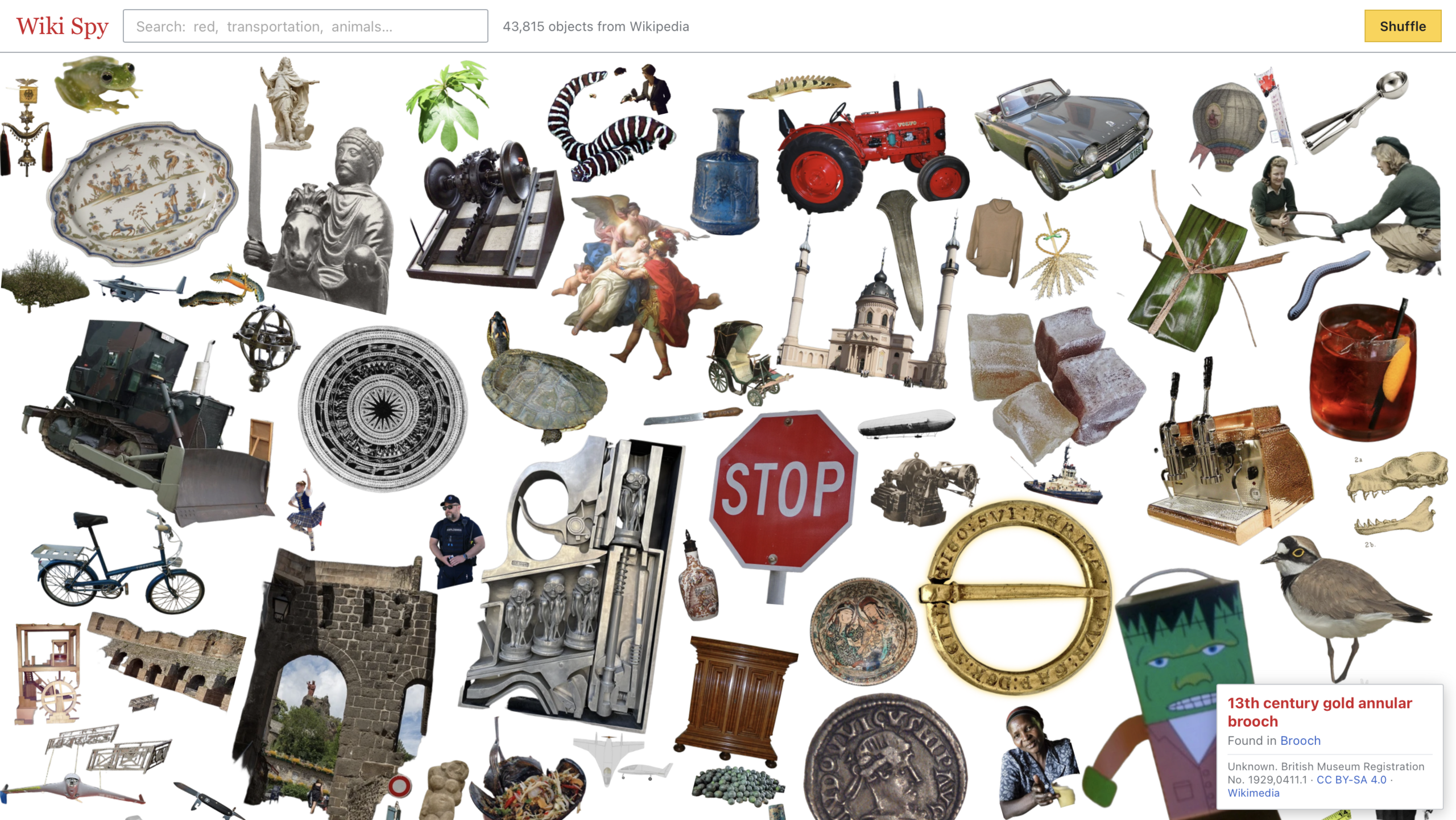
- Wiki Spy — an endless, searchable I-Spy collage of objects cut out from Wikipedia's images. Search by colour or by concept, or click any object to find similar ones. A nice reminder of just how much lives in our media.
- LonelyWiki — surfaces one obscure (but genuinely good!) Wikipedia article every day, chosen from articles with fewer than 2,000 views a year. Quality without the clicks.
- WikiNav — visualises how readers actually move through Wikipedia, where they arrive from and where they head next on any topic. Try Chocolate.
Tools for finding tools
- WhichTool — describe what you're trying to do, in any language, and it suggests the right Wikimedia tool for the job, with actively maintained tools ranked first. Yes, a tool for finding tools!
- Hay's Tools Directory — a searchable directory of some 3,800 Wikimedia tools. If it exists, it's probably in here.
Bring one along
If any of these catch your eye, our regular online sessions are a good place to try them in company — Commons Catch Up on the second Thursday of each month for the image tools, and Drop in and Wikidata for the data ones. See the events list to find the next session.
And if you've found a tool the rest of us should know about, we'd like to hear about it — email us at contact@wikimedia.org.au.
Image:WikiSpy July 2026, Attribution-ShareAlike 4.0 International License.
